
A MySQL major version upgrade is an inevitable change one must carry to progress their database journey. For those who’re bitten by bad upgrade must have felt the process is like black magic that only works when you sacrifice a server to the database gods.
In this article, I’m sharing the MySQL major version upgrade checklist that I personally follow before touching production systems. While the examples focus on MySQL replication, many of these upgrade best practices apply to MariaDB, Percona Server, and other MySQL-compatible databases as well.
I published a video explaining the complete MySQL upgrade workflow for replicated environments. It covered the overall process, but I never included the actual checklist. I was pointed at that and I am correcting that mistake. This article provides the complete checklist you can use during your own MySQL production upgrade.
There is no my way or high way. I’m not claiming this is the only way to upgrade MySQL. Different environments demand different approaches, but a good checklist almost always beats relying on memory.
Resources
Download: MySQL Major Version Upgrade Checklist (PDF)
Why MySQL Upgrade Checklist is important
Look, you can upgrade MySQL. It’s not that hard. Hit the version bump and… it probably works. Except when it doesn’t. And when it doesn’t, you have no rollback plan, your application is screaming, and you’re just asking stupid AI and that may even blow away any chance of recovery. We need a plan.
My checklist gives you steps you should follow to perform the safe upgrade. I am not saying it is the “only way” but it is surely “one way”.
MySQL Upgrade Checklist details
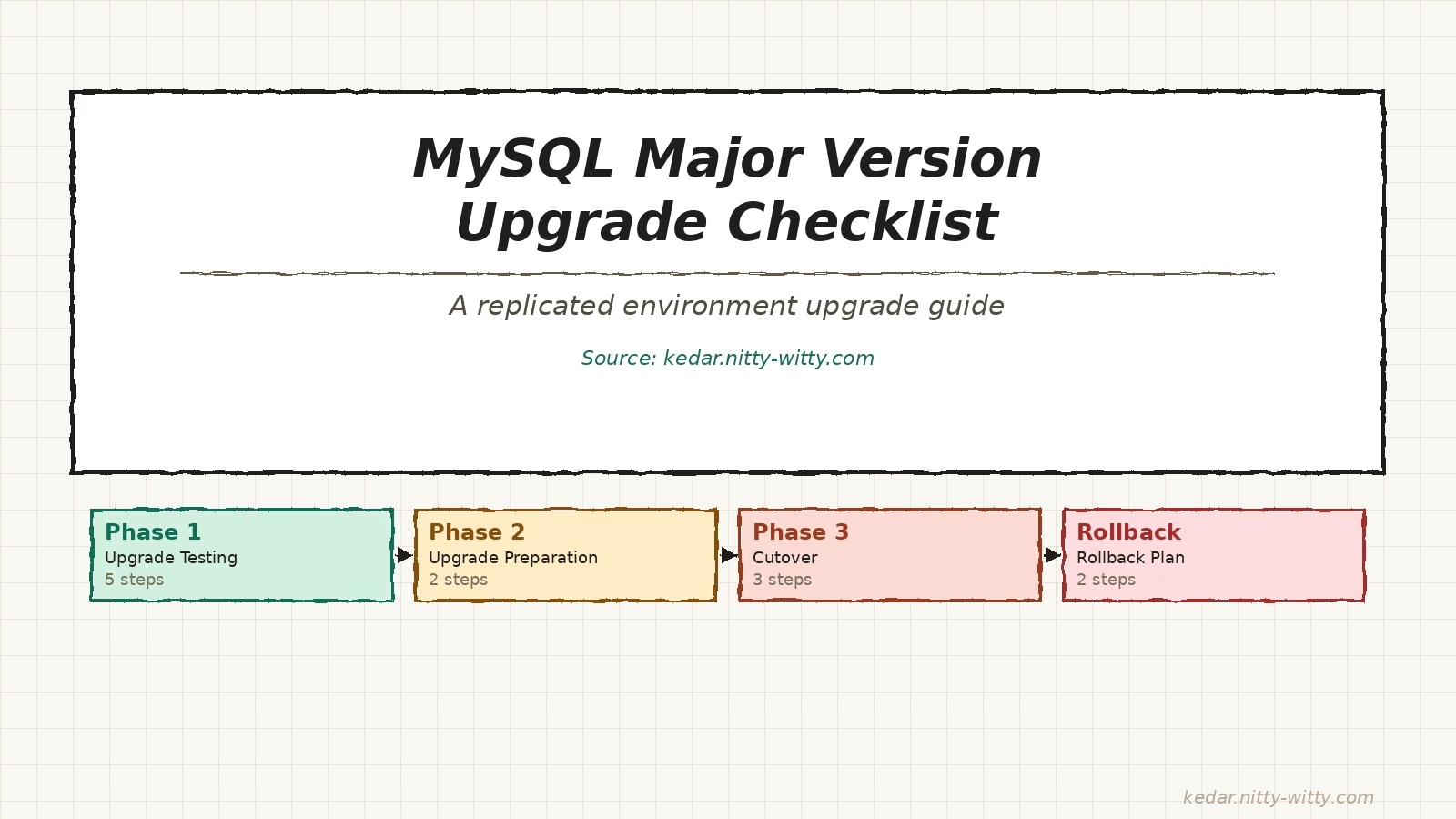
PHASE 1: Upgrade Testing
STEP 1: Prerequisites & Setup
☐ Provision two identical test servers (test-mysql-1, test-mysql-2)
☐ Install current MySQL version on both test servers
☐ Restore production data backup to both instances
☐ Configure chained replication: production → test-mysql-1 → test-mysql-2
STEP 2: MySQL Upgrade Checker
☐ Install MySQL Shell on test-mysql-2
☐ Run checkForServerUpgrade() against the production database
☐ Document all compatibility issues, warnings, and deprecation notices
☐ Fix all identified compatibility issues before proceeding
STEP 3: Prepare for Test Upgrades
☐ Apply checkForServerUpgrade() fixes on test-mysql-2
☐ Upgrade MySQL to target version on test-mysql-2
☐ Configure both servers with equivalent settings (except version-specific differences)
☐ Disconnect replication — both servers now hold independent identical datasets
☐ Log all upgrade learnings: my.cnf changes, steps taken, issues encountered
STEP 4: Performance Testing (pt-upgrade)
☐ Collect at least 24 hours of slow query logs from production-mysql
☐ Run pt-upgrade tool in read-only mode against both instances
☐ Enable read-write on both instances and re-run pt-upgrade for write workloads
☐ Analyse pt-upgrade output thoroughly
☐ Log issues: time differences, plan changes, result differences, errors, reserved keywords
STEP 5: Application Compatibility Testing
☐ Test application against the target version on test-mysql-2
☐ Document any application-level issues or performance degradation
☐ Create an application update plan for all identified incompatibilities
PHASE 2: Upgrade Preparation
STEP 1: Issue Resolution
☐ Apply all fixes identified during checkForServerUpgrade and pt-upgrade
☐ Implement all required database-level changes (config, authentication, etc.)
☐ Obtain go-ahead sign-off from the application team for the target version
☐ Re-test all fixes to confirm they fully resolve the issues (if required)
STEP 2: Infrastructure & Cutover Preparation
☐ Provision production-grade candidate servers: candidate-prod-1, candidate-prod-2
☐ Restore production data and configure chained replication to candidate servers
☐ Upgrade candidate servers to target version using Phase 1 learnings
☐ Configure backups, monitoring, and validate restoration from backups
☐ Document the new environment and all cutover requirements
PHASE 3: Cutover
STEP 1: Pre-Cutover Activities
☐ Verify replication is functioning properly with minimal lag and no errors
☐ Ensure latest full backups are available and validated
☐ Confirm all monitoring systems are active and functioning
☐ Notify all stakeholders of the upcoming maintenance window
STEP 2: Cutover Execution
☐ Set current production database to read-only mode
☐ Verify replication has fully caught up — zero lag confirmed
☐ Disconnect replication from production to candidate-prod-1 (primary)
☐ Update application connection strings to point to candidate-prod-1 (writer)
☐ Enable read-write on candidate-prod-1 and start routing application traffic
☐ Run validation tests and make formal Go / No-Go decision
STEP 3: Post-Cutover Activities
☐ Monitor application performance and error rates continuously
☐ Monitor database performance metrics in real-time
☐ Keep original environment available for potential rollback
☐ Collect performance metrics and compare with pre-upgrade baseline
☐ Notify stakeholders of successful upgrade completion
☐ Document any issues encountered and their resolutions
PHASE 4: Rollback Plan
STEP 1: Rollback Preparation
☐ Assess whether reverse replication from candidate back to original is viable
☐ Establish application tolerance for possible data loss or restore delay
☐ Identify manual actions required if reverse replication is not possible
☐ Define specific triggers that would initiate a rollback decision
☐ Establish and communicate decision-making authority for rollback
☐ Prepare and test rollback scripts and procedures
STEP 2: Rollback Execution (If Needed)
☐ Update application connection config to point back to original production
☐ Return original production database to read-write mode
☐ Verify application functionality against the original database
☐ Notify stakeholders of the rollback and expected resolution timeline
☐ Document the specific issues that triggered the rollback
If you have questions, shooot. I’d love to hear about your upgrade stories or your own checklist.
Happy upgrading.

 Kedar
Kedar